App Cloner- Clone App for Dual3.2.6
Publisher Description
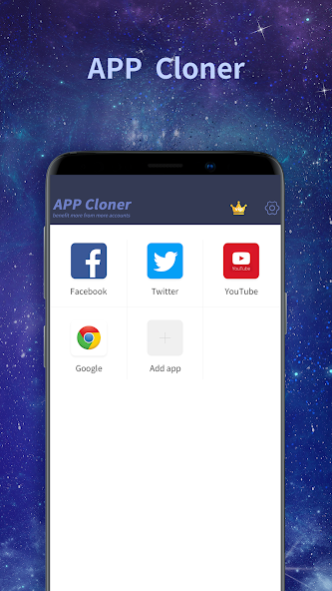
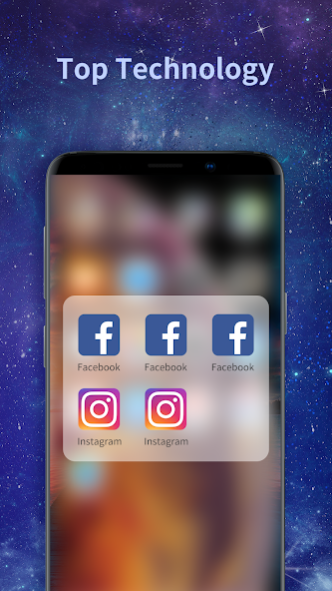
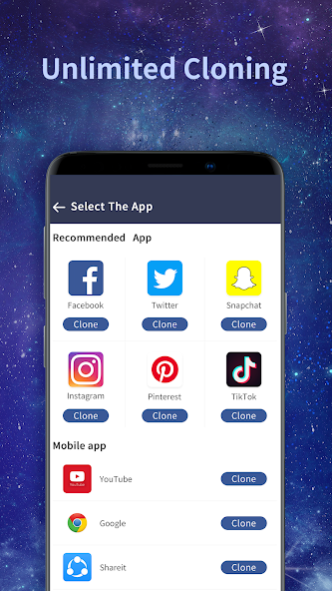
App Cloner helps user clone apps and run 2 accounts or multiple accounts of the same app simultaneously in a dual parallel space, and fast switch between multi accounts by one click.
How to use 2nd or multiple accounts on one mobile phone at the same time? Such as use 2 WhatsApp, 2 Line, 2 Facebook, 2 Snapchat, log into 2nd Instagram or two Twitter, multiple CoC accounts or Pokemon go online same time on a single phone? Now App Cloner is available to satisfy your needs!
App Cloner helps clone Android app and run multiple accounts at the same time on one mobile device, while messages and datas of your different accounts are in parallel space. App Cloner be compatible with most Android apps, such as social network apps and games. Get App Cloner immediately to manage multiple accounts, gain multiple fun!
★★★★★
One App, Multiple Social Accounts:
Balance between users' life and work easily. We support most Instant Messaging. Multiple accounts can work simultaneously on one device, connect different friends and share parallel information.
★★★★★
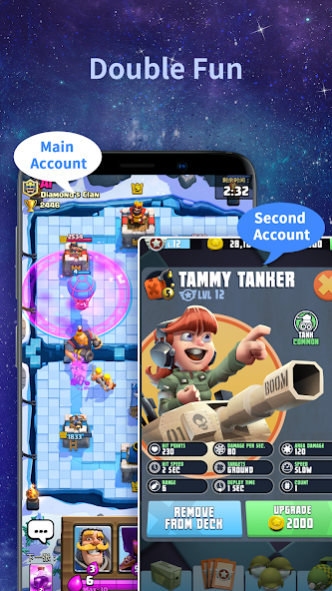
Double users' online gaming experience:
Log in many game accounts for Google Play and different experiences for both accounts at the same time!
★★★★★
Privacy and Security in app cloning:
Hide users' secret apps without worrying about prying eyes by keeping apps only in this dual space.
Main Features:
- Simple and pure UI, clear notification to help you fast switch between multi accounts.
- Different accounts, same features, separate space, No conflict, No need root!
- Small and low CPU consumption.
- User Info are safely guarded.
App Cloner powered by Years Tech, with the most light-weighed and powerful clone engine, can help you clone your app into another separated parallel space. What's more, App cloner can help you manage notifications of the cloned app, and provide Privacy function to protect the cloned app. App cloner is compatible with most instant message apps, game apps and social networking apps. Google Play Service are supported, and you can connect with your Google Play Games or other services in your clones.
Notes:
• Permissions: App Cloner needs to apply for the permissions required by the apps added in to function normally.
• Consumptions: App Cloner itself doesn't take up too much memory, battery and data by which are actually consumed by the apps running inside.
• Notifications: Please add App Cloner to whitelist or exceptional list of some 'boost apps' to ensure that notification of some social networking apps functions well.
If you like App Cloner, please give us 5-stars rating and share with your friends.
For any problems, please contact us via the 'Feedback' feature inside or email (nianyuxinxi@gmail.com). We are looking forward to your feedbacks!!!
About App Cloner- Clone App for Dual
The company that develops App Cloner- Clone App for Dual is Changsha Years Information Technology. The latest version released by its developer is 3.2.6.
To install App Cloner- Clone App for Dual on your Android device, just click the green Continue To App button above to start the installation process. The app is listed on our website since 2022-08-31 and was downloaded 279 times. We have already checked if the download link is safe, however for your own protection we recommend that you scan the downloaded app with your antivirus. Your antivirus may detect the App Cloner- Clone App for Dual as malware as malware if the download link to com.cloner.android is broken.
How to install App Cloner- Clone App for Dual on your Android device:
- Click on the Continue To App button on our website. This will redirect you to Google Play.
- Once the App Cloner- Clone App for Dual is shown in the Google Play listing of your Android device, you can start its download and installation. Tap on the Install button located below the search bar and to the right of the app icon.
- A pop-up window with the permissions required by App Cloner- Clone App for Dual will be shown. Click on Accept to continue the process.
- App Cloner- Clone App for Dual will be downloaded onto your device, displaying a progress. Once the download completes, the installation will start and you'll get a notification after the installation is finished.
Program Details
System requirements
Download information
Pricing
Version History
version 3.2.6
posted on 2022-08-31
Fix bugs
version 1.3.4
posted on 2021-11-02
Remove the advertising interface
Fix bugs
version 1.2.5
posted on 2021-04-29
fixed bugs.
version 1.2.2
posted on 2021-04-09
fix some bugs.
version 1.1.9
posted on 2021-01-25
* Fixes some bugs on some devices
*Optimized user experience
* Add tips when facing some issues
version 1.1.6
posted on 2020-05-29
* Fixes some bugs on some devices;
* Add tips when facing some issues
version 1.1.5
posted on 2020-01-03
Bug fixes to improve user experience;
Thank you for using AppCloner
version 1.1.4
posted on 2019-11-25
Compatible with Android 10;
Bug fixes and user experience improvement;
Welcome to contact our customer survice support on "Settings-About us-Email"
version 1.1.1
posted on 2019-08-08
Fix known bugs;
Users can uninstall the cloned application on the desktop directly and choose to install the cloned application or not.
version 1.1.0
posted on 2019-07-16
Fix known bugs;
Technical updates, more open applications more smoothly;
Optimize the clone application experience, users can choose whether to install the cloned application.
